cruxcut.Video editing
Video editing
for climbers
AI follows the climber, captures the best moments, and saves every route.
Available for iPhone and Android.


Private by design
Your climbs stay on your phone.
CruxCut analyzes your footage right on your phone, on iPhone and Android. Your videos are never uploaded to a server, and you share only what you choose.
- Analyzed on-deviceTracking and highlight detection run on your phone. Analysis takes about 22 seconds on average.
- No video uploadsYour footage never leaves your phone. Film at the gym without sending anyone’s face to the cloud.
- You choose what’s sharedExport the clip, highlight reel or path sticker you want, when you want.
The climb looked great
Fixed cameras
miss the movement
The whole wall stays in frame, but the climber looks tiny. CruxCut brings every move back to center stage.
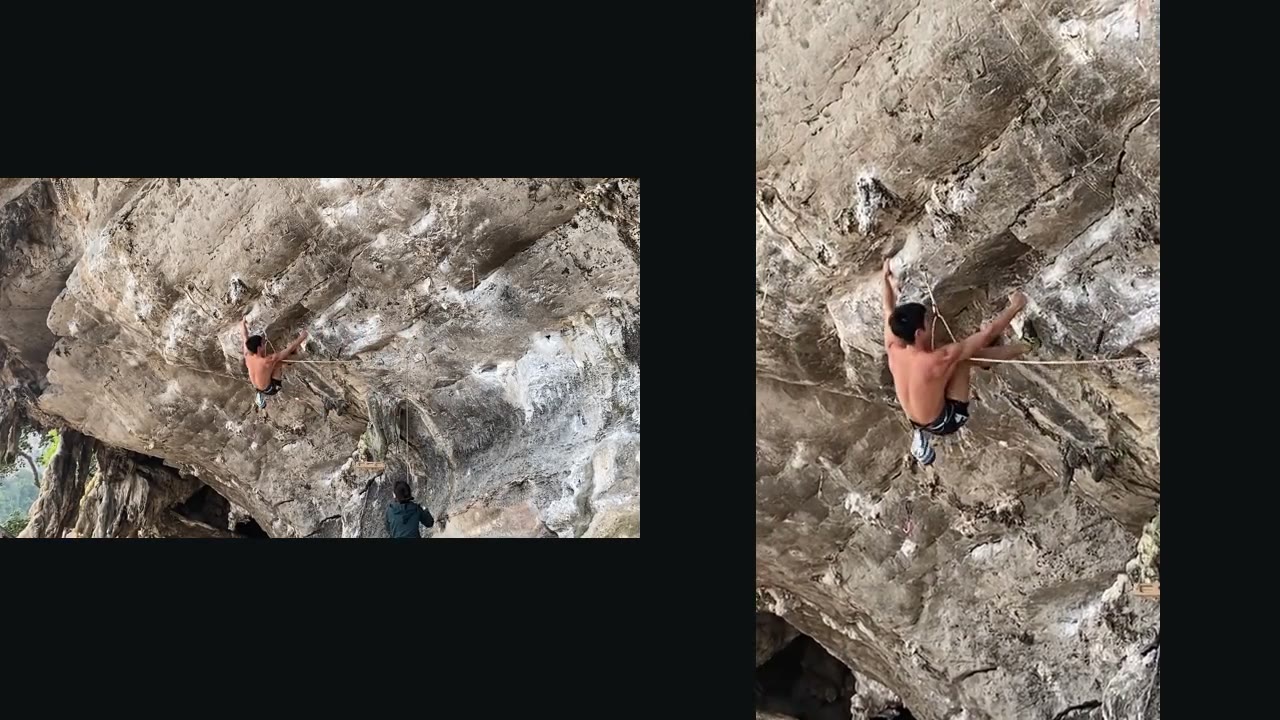
Finding the climber
From fixed to follow-cam
The camera work,
done for you
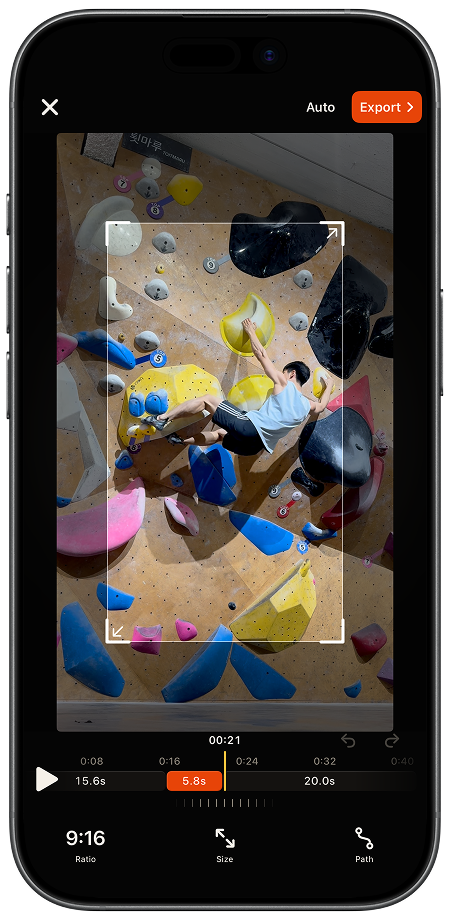
AI creates the first cut. Simple controls let you refine it.
- 01Detect
A crop box finds the climber in the frame.
- 02Track
The frame follows every move up the wall.
- 03Edit
Adjust the crop, ratio, and framing your way.
- 04Export
The overlays fall away. Your follow-cam is ready.
Whatever the setup
Every climb
Always on the climber
Inside the app
From camera roll
to follow-cam
Choose a video, let AI build the camera movement, adjust the result when needed, then export.
A typical edit is ready in around 22 seconds.Processing time varies by video length and device.
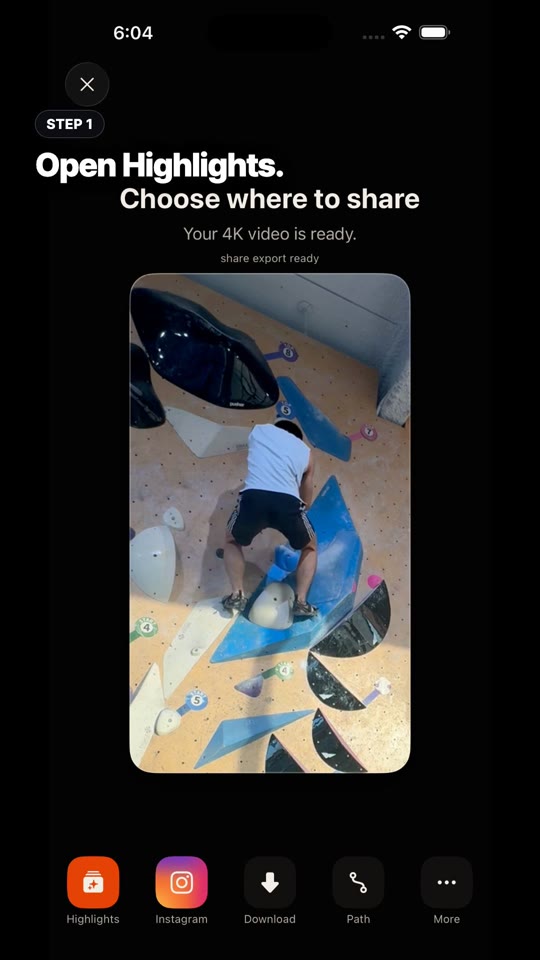
- 01Choose
- 02Process
- 03Edit
- 04Export
Actual in-app workflow
From lead to boulder
Indoors and out
More features
02 · Crux Highlights
Crux Highlights
Automatic
highlights.
03 · Path Sticker
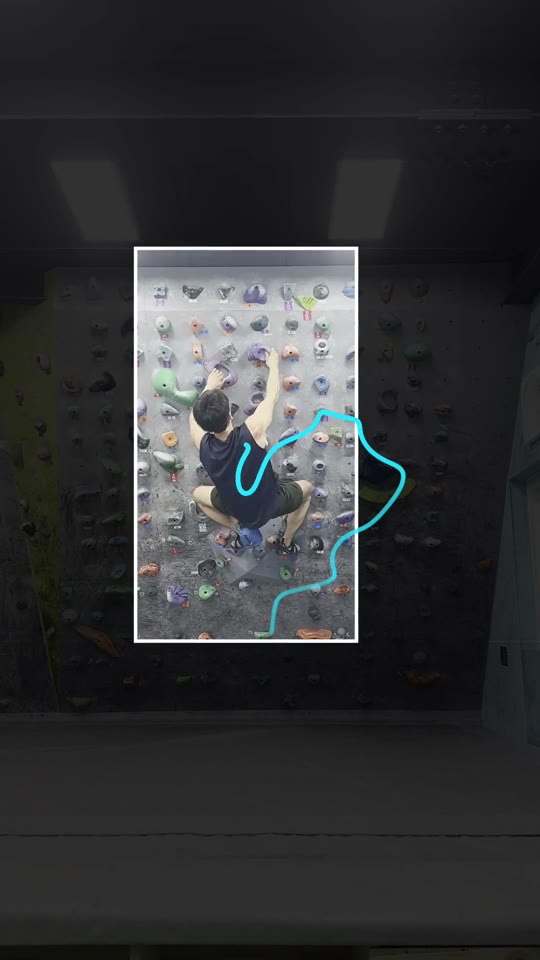
Path Stickers
Share your session.
Route included.
On-device by design
Powerful privacy
Your footage never leaves your phone. Tracking and highlights run on-device, so your videos stay private.
Frequently asked questions
Is CruxCut available for Android and iPhone?
Yes. CruxCut is available on both iPhone and Android. Download it on the App Store for iPhone or on Google Play for Android phones. The Android app includes automatic climber tracking, crux highlights, manual path correction, and 9:16, 3:4, or 1:1 export. Check each store for supported devices and regions.
What is CruxCut?
CruxCut is an AI video editor for iPhone and Android that turns raw climbing footage into a follow-cam edit, Crux Highlights, and a shareable Path Sticker.
Can I use CruxCut for both lead climbing and bouldering?
Yes. CruxCut works with both lead climbing and bouldering footage, indoors or outdoors.
What if the AI loses track of the climber?
Draw the climbing route and CruxCut will identify the climber again and refine the tracking path.
Are my videos uploaded to a server?
No. Analysis and editing happen directly on your phone, on both iPhone and Android.
Built with you
Help shape what comes next
Vote on October ideas, suggest features, report bugs, and see what ships.